Take over conversations
Step into a live chat when a customer needs a person, reply directly from the inbox, and hand the conversation back to the bot when you are done.
Use this guide when the bot has done the structured part and a customer needs a human — special requests, complaints, or anything the flow does not cover.
Open InboxWhen a human should step in
The bot is good at the predictable part of a conversation: collecting answers, offering slots, confirming bookings. Some conversations still need you — a request the flow does not cover, a price negotiation, a frustrated customer, or a booking that needs back-and-forth before you approve it.
- The customer asked something the flow has no path for and the conversation stalled.
- A pending submission needs clarification before you can approve or decline it.
- The customer explicitly asked to talk to a person — honoring that quickly is worth more than any flow tweak.
Recurring takeovers are a flow signal
If you keep taking over for the same reason, add that path to the flow instead. Handoff is for the exceptions; the flow should own everything routine.
Take over from the submission
Open the submission
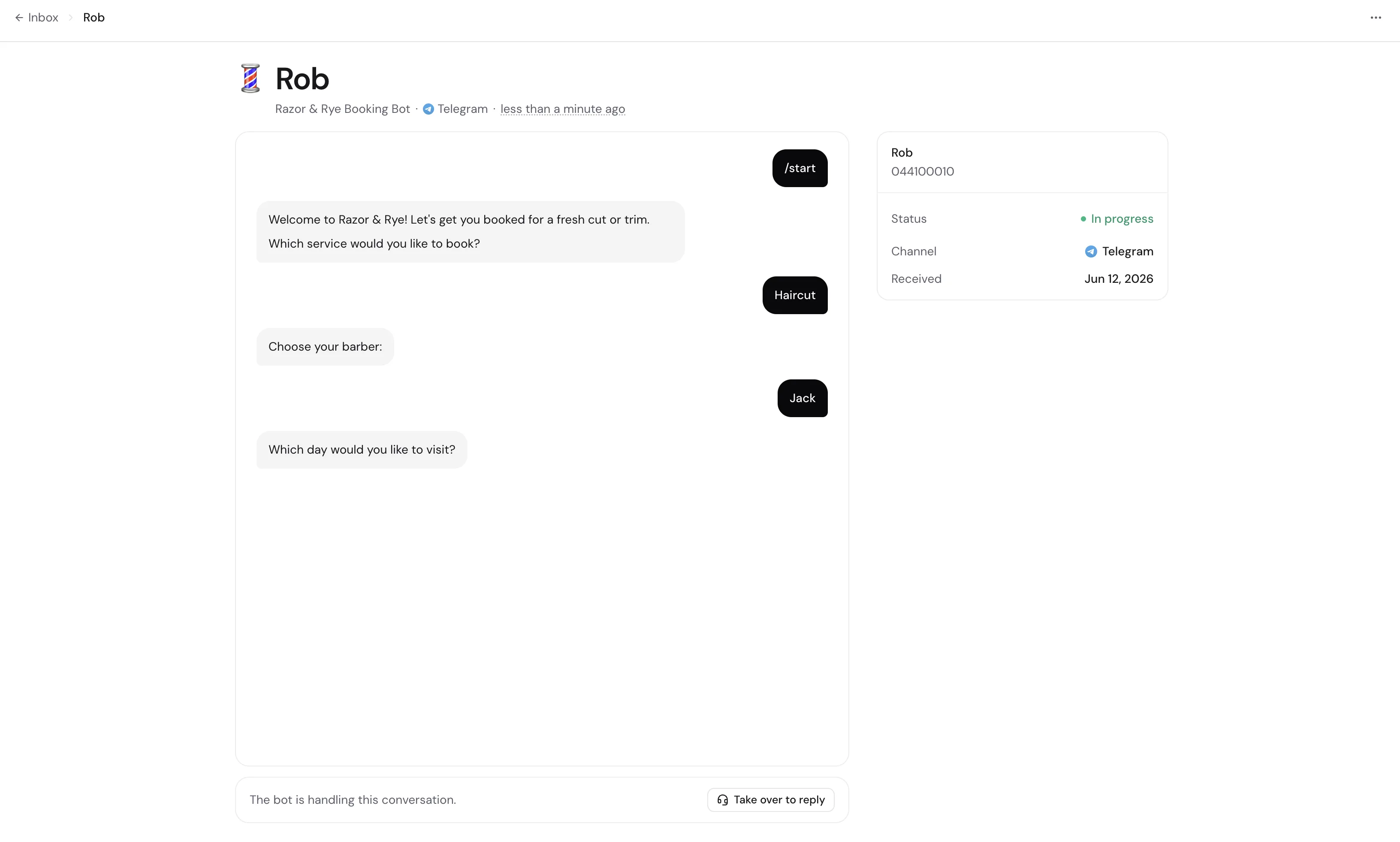
From the inbox, open the conversation you want to join. The transcript shows everything the bot and the customer have said so far, so you can step in with full context.
Click Take over to reply
The button sits with the reply composer at the bottom of the transcript. Clicking it pauses the bot for this conversation and sends the customer your configured handover message.
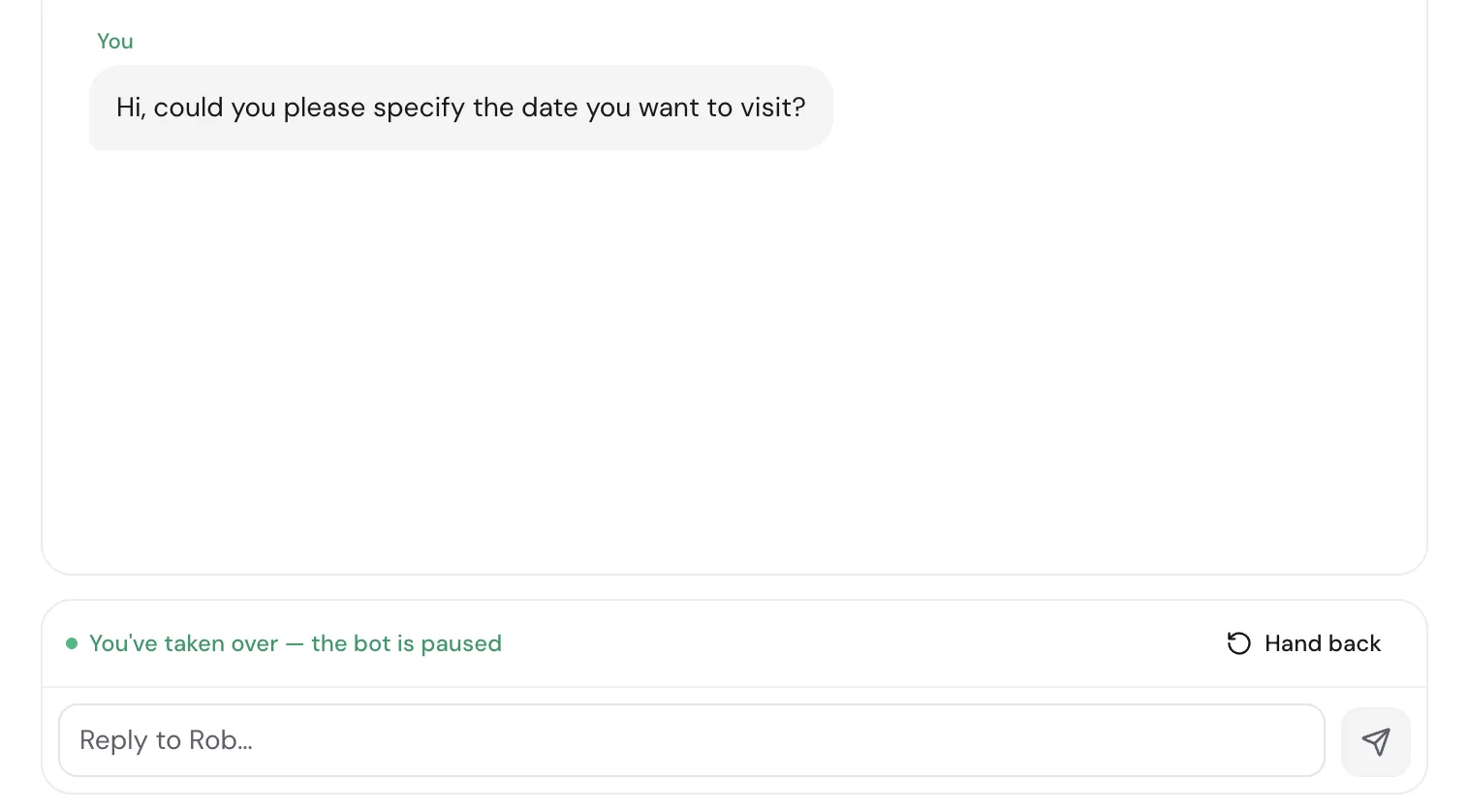
Reply directly
Type in the composer and send. Your messages go out on the same channel the customer is already using — Telegram or WhatsApp — and appear in the transcript alongside the bot's.
The bot stays out of the way
While you have the conversation, the bot does not answer the customer. Incoming messages keep appearing in the transcript so nothing gets lost while you type.
Hand back to the bot
When the human part is done, click Hand back. The customer receives your configured bot-resumes message, and the submission returns to the status it had before you took over, so the rest of your pipeline is unaffected.
- Hand back as soon as the exception is resolved — the bot handles confirmations and follow-ups more consistently than a busy human.
- If the conversation has simply run its course, use End conversation from the actions menu instead of handing back.
Customize the handoff messages
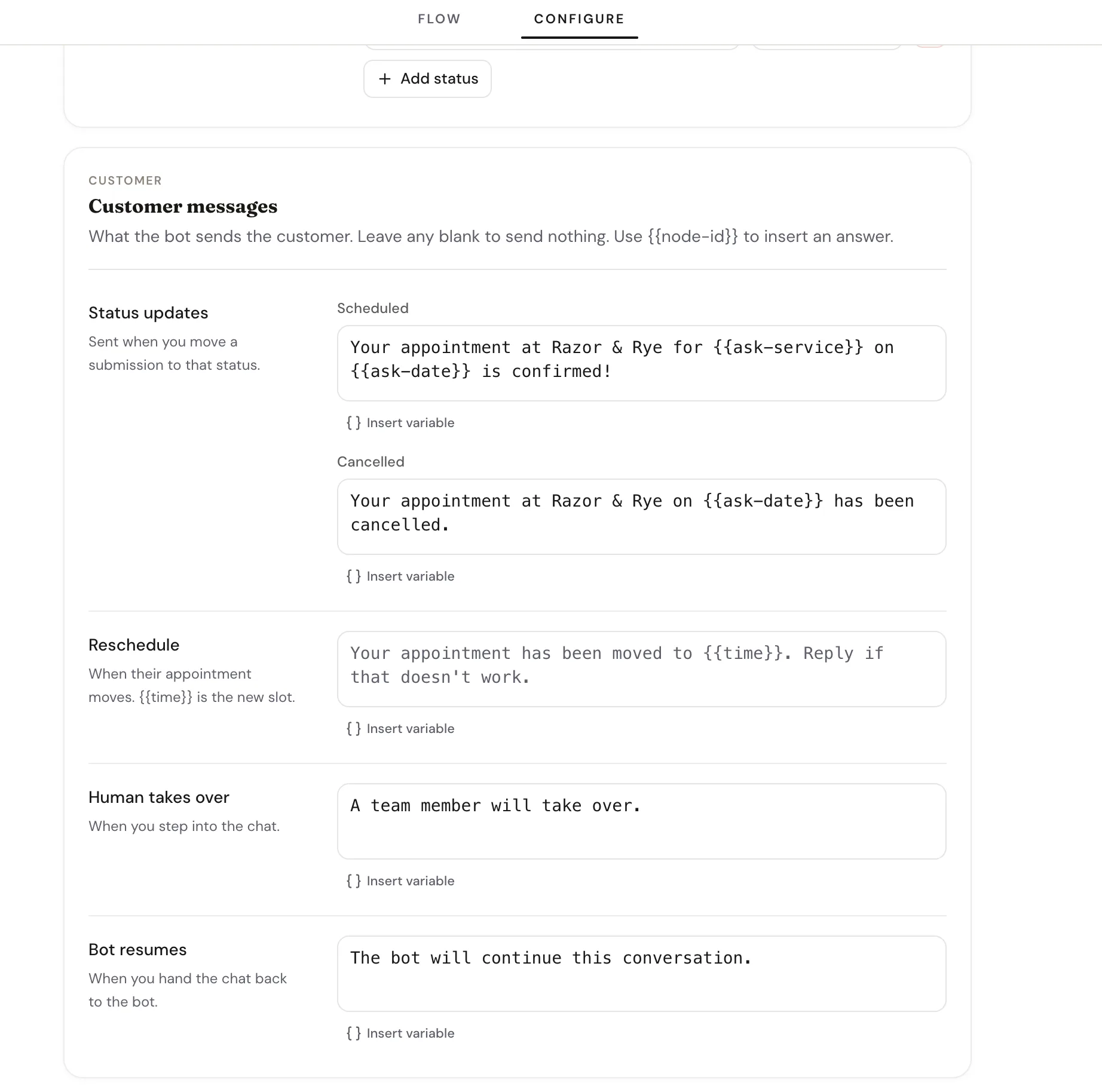
Both transition messages live in the builder's Configure tab: Human takes over is sent when you step in, and Bot resumes when you hand back. Leave either blank to send nothing, and use {{node-id}} to drop a customer's earlier answer into the text.
Set expectations in the handover copy
A line like "A team member will reply within a few minutes" buys you time to actually get to the chat — especially if your notifications are on business-hours or digest timing.
Related guides
Continue with the next part of the setup once this step is stable.
Triage submissions in the inbox
Read what customers sent, change status, reply or take over the chat, approve or reschedule bookings, and archive — keep follow-up moving without getting buried.
Set up owner notifications
Get notified the moment a submission arrives — in the dashboard bell and on Telegram with one-tap Accept and Deny — and tune how urgently each bot pings you.
Edit and refine your flow
Use AI-assisted edits for broad changes, then switch to manual flow editing when you need precise control.