Create your first bot
Start from a plain-language description or a template, generate a first draft, and understand what guests can do before signing up.
Use this guide when you want the fastest path from business description to a usable first flow.
Open builderStart from Build
Open the builder when you already know what your business flow should do. You can begin with a blank description or pick a template and rewrite it to fit your operation.
- Include the basics: services, pricing, opening hours, booking or fulfillment rules, and anything that should trigger manual review.
- Mention what customers must provide, such as name, phone, email, date, quantity, or special instructions.
- Keep it grounded in real workflow details instead of slogans. The first draft is only as useful as the operating detail you give it.
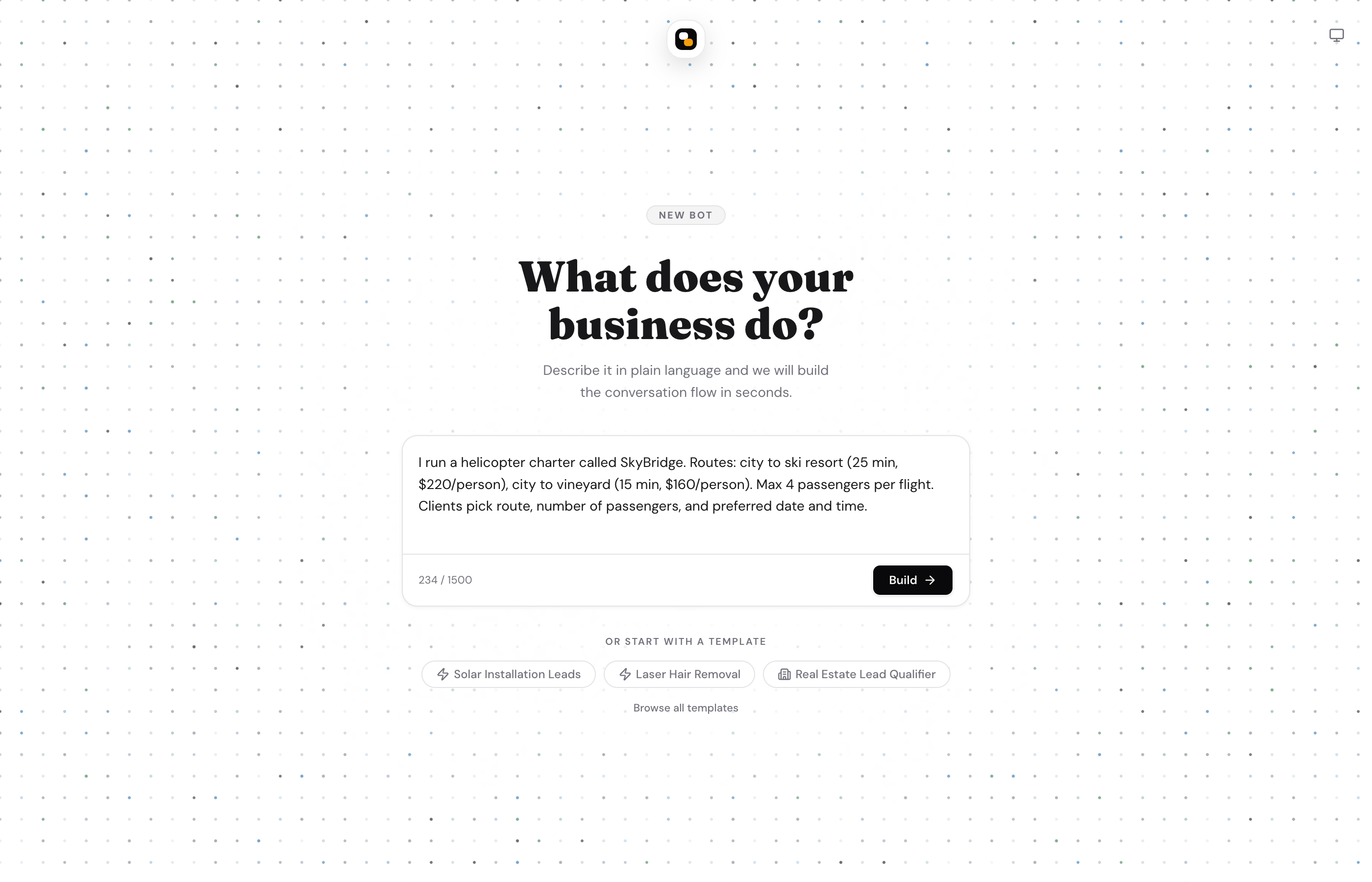
What guests can do before signing up
Guests can generate a bot, preview it, edit the flow, and keep iterating. That makes the builder useful even before account creation.
Account requirement
A free account is still required when you want to deploy, publish to live channels, or connect WhatsApp and Telegram.
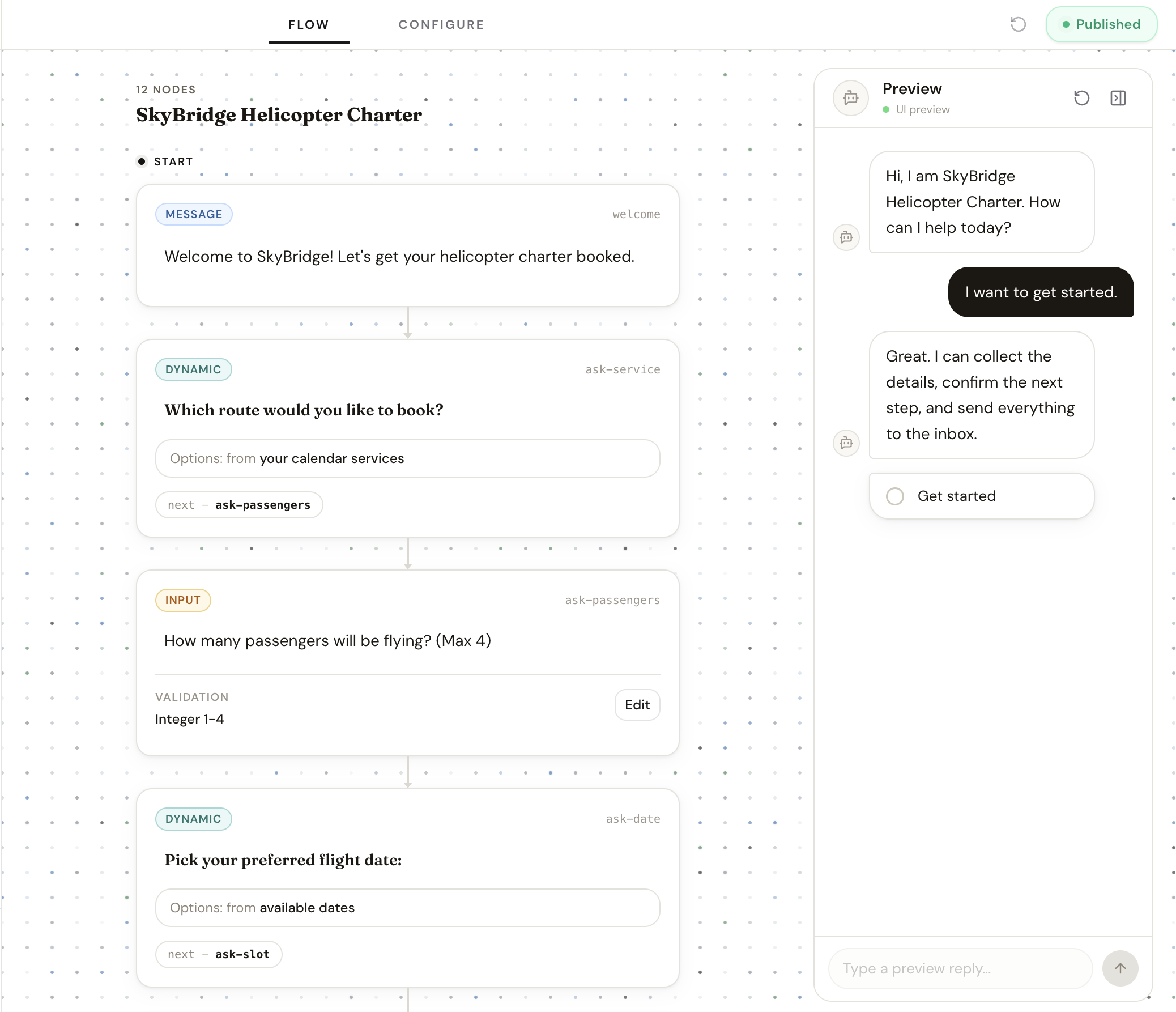
What the first draft includes
- A conversation flow with messages, fixed-choice questions, free text inputs, and end states.
- Submission defaults such as review requirement, statuses, and owner-facing notifications.
- Bot settings such as name, icon, and notification urgency.
The goal of the first draft is not perfection. It is to produce a complete, editable workflow that you can tighten in the editor and preview immediately.
Related guides
Continue with the next part of the setup once this step is stable.
Write better prompts
Describe how the business actually runs so the generated flow is closer to production from the first pass.
Edit and refine your flow
Use AI-assisted edits for broad changes, then switch to manual flow editing when you need precise control.
Preview drafts and publish
Test the conversation before it goes live, understand the draft/live split, and publish only when the workflow is ready.