Add validations and review rules
Make the bot stricter where format matters and define how submissions move through review, updates, and follow-up.
Use this guide when you want cleaner inputs, clearer review states, and more predictable owner/customer notifications.
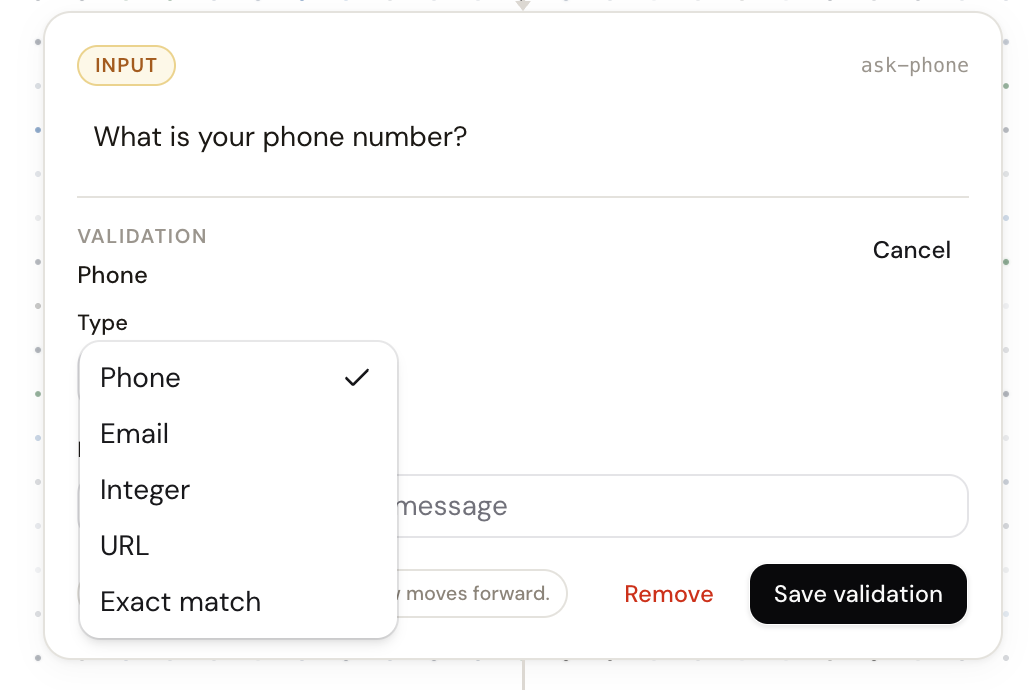
Open builderSupported input validations
phonefor phone-number inputs.emailfor email addresses.integerfor whole-number answers, optionally with minimum and maximum values.urlfor website links.exactwhen the user must enter one of a defined set of accepted values.
Use validation where the answer shape matters. Do not over-validate ordinary free text like names or general notes.
Require review when a human decision is still needed
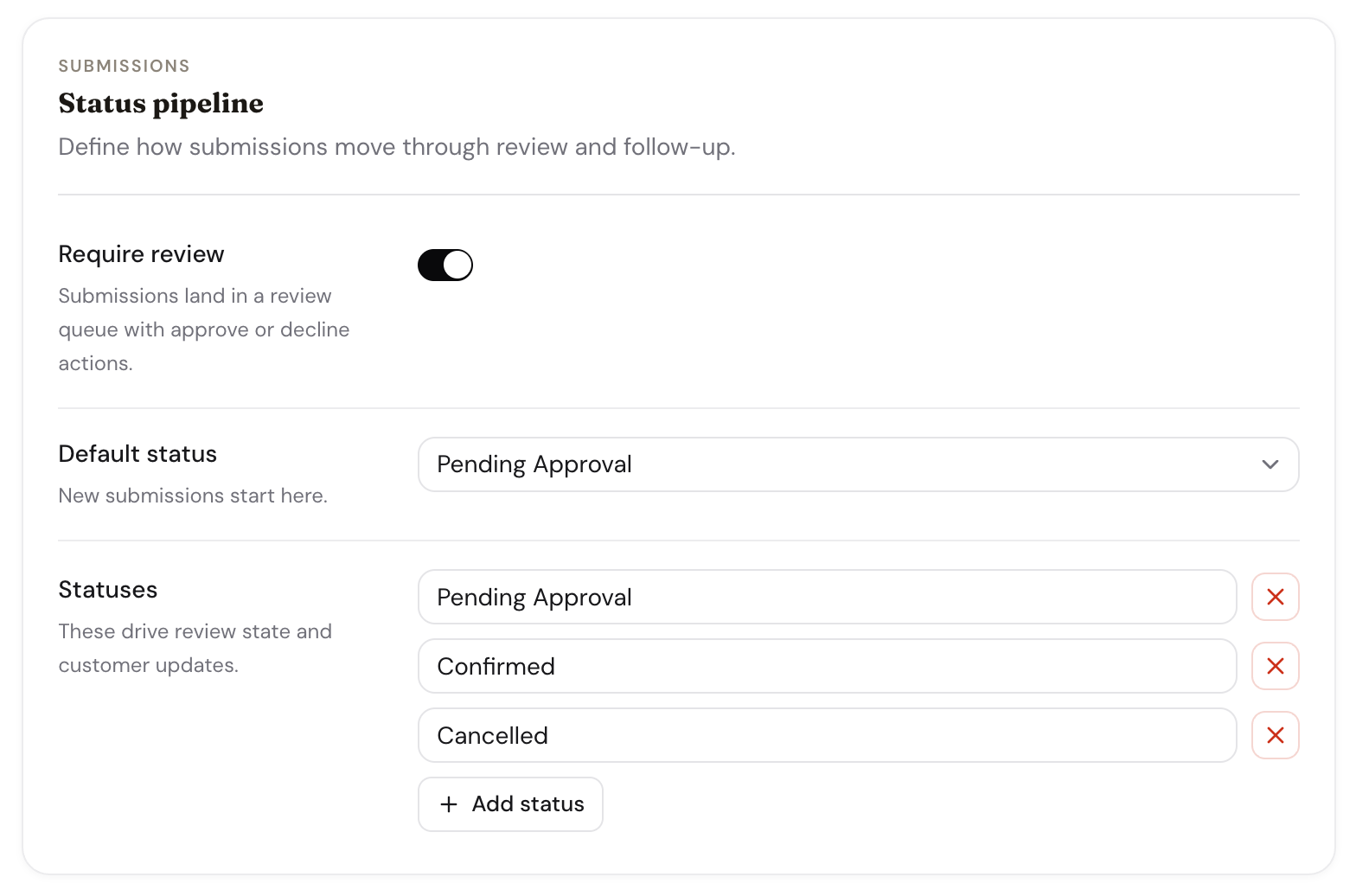
If a booking, request, or quote needs confirmation from the business, enable review and define the status pipeline that new submissions should follow.
- Set a default status so new submissions land in the correct queue.
- Add or rename statuses to match the way the team actually works.
- Use status labels that are meaningful to operators, not just generic placeholders.
Owner notifications and customer messages
The Configure tab also controls the messages that go out as a submission moves — both to you and to the customer. Leave any message blank to send nothing.
- Owner notification — what you receive when a new submission arrives.
- Customer messages — a per-status update for each status, plus the reschedule, "human takes over", and "bot resumes" messages. Use {{node-id}} to drop a customer's answer into the text.
- Notification urgency — how quickly you are notified about new submissions.
Statuses carry a kind
Each status you define has a kind — pending, active, completed, or cancelled. The kind is what drives the inbox views and the calendar, so a completed or cancelled status frees the slot while a pending one queues for review.
Related guides
Continue with the next part of the setup once this step is stable.
Edit and refine your flow
Use AI-assisted edits for broad changes, then switch to manual flow editing when you need precise control.
Preview drafts and publish
Test the conversation before it goes live, understand the draft/live split, and publish only when the workflow is ready.
Write better prompts
Describe how the business actually runs so the generated flow is closer to production from the first pass.